
Print
Archive a Team
Changes to your Organogram are likely. If a team merges with another team or a team is disbanded, these teams will not be needed on the Organogram. For historical reporting, you do not want to delete the team and all of the associated cases, instead, you have the option to Archive the team. This will enable you to report on this team up until the time it was archived.
- Go to the More menu and select the Organogram link in the Settings column.
- Select the name of the team to show the action buttons.
- Select the Archive button.
- A message will appear asking if you are sure you want to archive the team and remove it from the Organogram. Select the OK button. The team will be archived.
Prior to the team being archived, eCase will perform certain actions which are described in the table below. Depending on the action, different warning messages will appear.
If there... Then... is an open team contribution or Send to All QA request A message will appear stating that an outstanding team contribution or Send to All QA is open for the team you are archiving. To archive the team, the contribution or QA request must be closed. 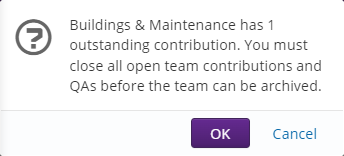
Use Case Search to find the case type for the team with an open contribution. Chase a response to the contribution, or close the contribution and send a new one to a different team.is a mailbox associated to the team The mailbox will be hidden from view. The mailbox will not be deleted. If you restore the team, the mailbox will be reactivated. is a subject associated to the team The subject will be hidden from view. The subject will not be deleted. If you restore the team, the subject will be reactivated. is a case open with the team The Reassign cases for Team pop up window will appear. You must reassign the open case to a new team/drafter before the team can be archived.
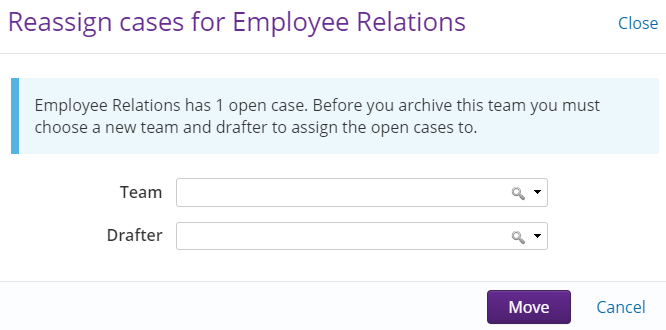
- To reassign the open case, select the Team drop down and choose the new team.
- In the Drafter field, select the user from the drop down list who you would like to reassign the case to.
- Select the Move button. A banner will appear stating that the team has been archived.