
Print
How to Log out of eCase
To Log out of eCase, go to your account details area and click on the drop down arrow.
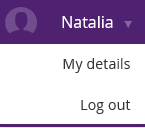
Click on the Log out link. You are logged out of eCase and back to the Sign in screen.