
Print
How to filter the Organogram
As the organogram is a representation of your organisation's structure, it can become large, making it difficult to view or modify teams and their users.
The Filter by Team Name field enables you to reduce the size of the organogram by searching for the team name you want to view or modify.

The eLearning module will open in a new internet window.
- How to filter the Organogram and edit a team name (duration = 7 minutes)
- In the Filter by Team Name field, enter part or all of the team name you want to view. In the example below, I have filtered by the word fin. This has highlighted, in yellow, two teams in the organogram that match that criteria along with the teams hierarchy.
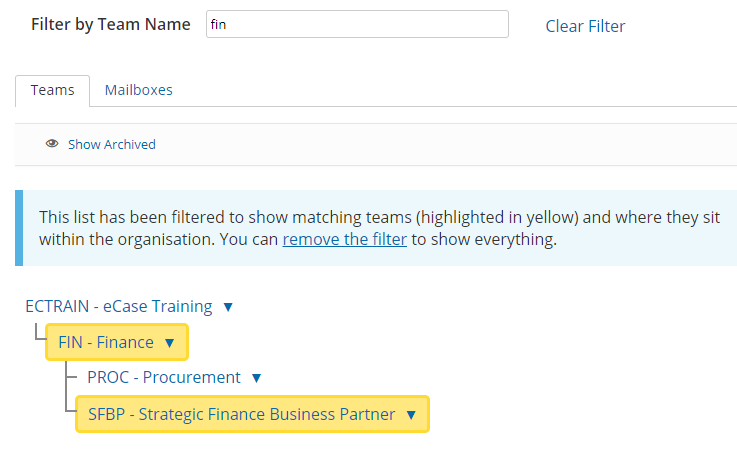
- Select the team name to expand the details. The filter will stay in place making it easier for you to add, modify and review the team and user details without having to navigate the organogram each time. You will be returned back to the team on the organogram that you have been working on, until the filter is cleared.
- To clear the filter, select the remove the filter link available in the banner, or the Clear Filter link next to the Filter by Team Name field.