
Print
How do I view which roles people have in a team?
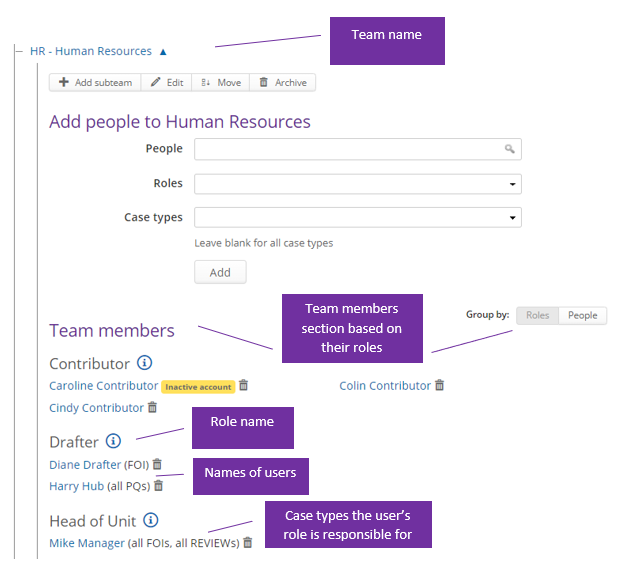
From the Organogram link, you can see which roles a user has in a team along with the case types they are responsible for.

The eLearning module will open in a new internet window.
- How to view users and their roles via the Organogram (duration = 10 minutes)
- Go to the More menu and select Organogram under the Settings section.
- Click on the name of the team where you would like to view the roles people have in that team.
- If you would like to:
If you would like to… Then… Delete a user from a role Click on the dustbin icon. See all roles assigned to a user Click on the name of the user. You will be taken to the people view where all roles can be viewed for that user.