Print
How do I delete a person from a team?
A person and their assigned roles can be deleted from a team from the Organogram screen.
- Go to the More menu and select Organogram under the Settings section.
- Click on the name of the team where you would like to delete the person.
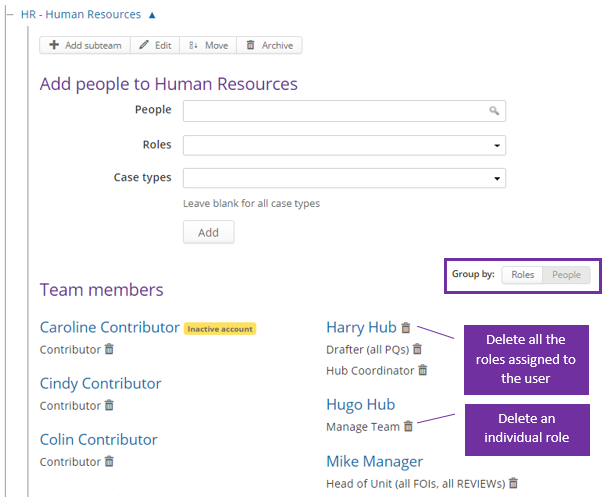
- In the Group by field, highlight the People button. This will place the team members in alphabetical order.
- If you would like to:
If you would like to… Then… Delete an individual role from a user's account Click on the dustbin icon. Delete a person from the team Click on the dustbin next to the person's name.