
Print
How to edit the role holder's details
If you have a role holder associated to a ministerial role and their name changes, you have the option to edit these details on the ministerial role.
To edit the role holder's details, follow the steps below.
- Select the eCase More menu, then Ministers in the Reference section.
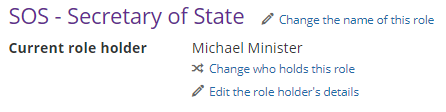
- Select the name of the ministerial role that you would like to edit the role holder's details on. This will open up the ministerial role page.
- Next to the Current role holder field, select the Edit the role holder's details link.
- The Change the ministers details pop up window appears. The Title, Forename and Surname fields are all text boxes. Place your mouse in the field that you want to edit and update the details.
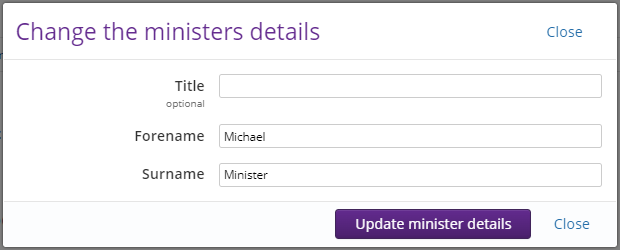
- Once complete, select the Update minister details button.