
Print
How to change the name of the Ministerial Role
Over time, the name of the ministerial role may change, for example if the portfolio remit has changed. Rather than archiving the ministerial role and to keep reporting consistent, you can change the name of the role.
To rename a ministerial role, follow the steps below.
- Select the eCase More menu, then Ministers in the Reference section.
- Select the name of the ministerial role that you would like to change. This will open up the ministerial role page.
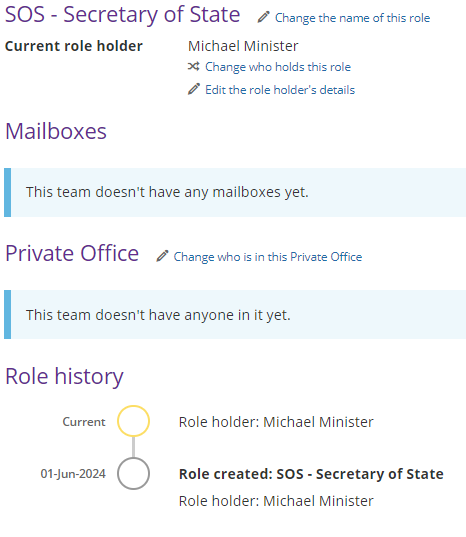
- To change the name of the role, select the Change the name of this role link found next to the ministerial role name.

- The Change the name of this role pop up window appears. Update the Role abbreviation or the Role title by placing your mouse in the box and updating.
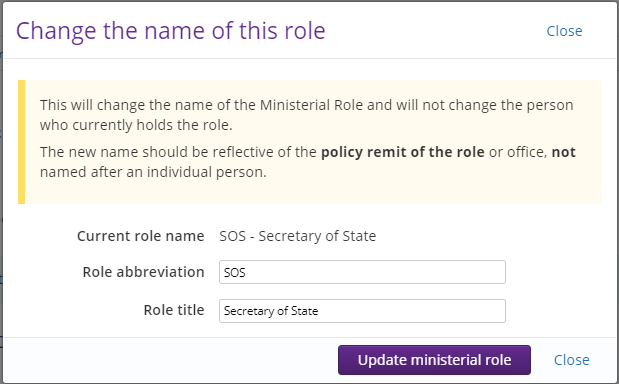
NOTE The name of the role should reflective the remit of the policy or office and should not include an individual person's name. - Select the Update ministerial role button to save the details.