
Print
Response screen overview
The Draft Response screen provides you with an overview of the case details so far.
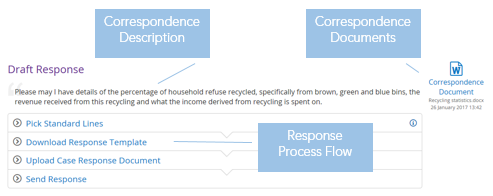
- Correspondence Description – provides the information entered in the Case Details page.
- Correspondence Documents – provides a link to any documented communications with the correspondent.
- Response process flow – provides steps that help with completing the response
If the correspondent requests a review of the case, or the case goes to appeal, then the Response Target field becomes available. Click on the Change link to prepare a response for the different types of responses, for example Case Response, Internal Review Response.
