Print
How to add an admin privilege to a person's user account that is not linked to one of their roles
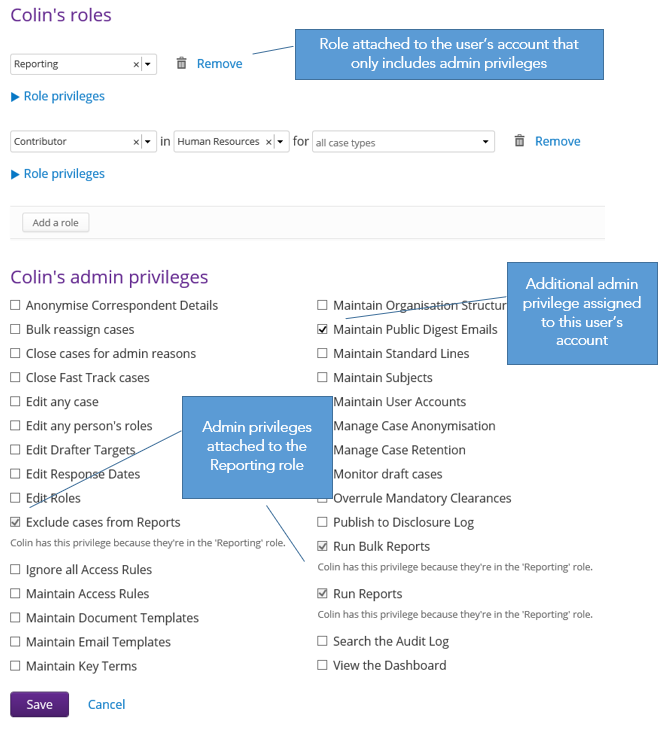
When a person is selected, any roles they have that are tied to a team or case type appear at the top of the screen. If a person is responsible for a function that is not tied to a team or case type, e.g. creating Digest Emails, then these privileges can be found at the bottom of the screen under the admin privileges section.
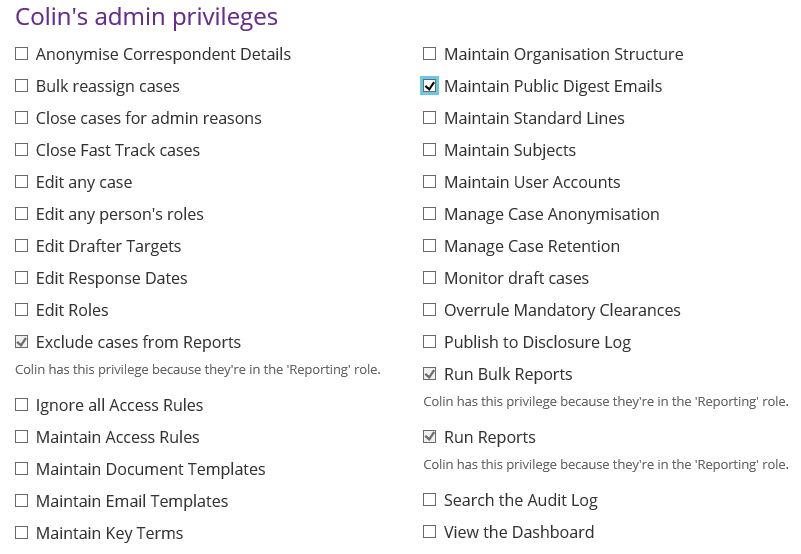
To add one or more of the admin privileges to the users account, place a tick in the tick box next to the privilege name, then save the details by clicking on the Save button.
If a role has been created that includes some of these admin
privileges, and that role has been assigned to the user account, the
privileges will be automatically selected with a description stating
which role it is associated to.