
Print
Retain Cases
If there are any cases in the Download Spreadsheet that you would like to retain, there are several ways of preventing the case from being deleted. The first two ways are to prevent deletion for one case at a time using the Case Options link.
NOTE A user must have the Manage Case Retention privilege on their user account in order to gain access to retain a case.
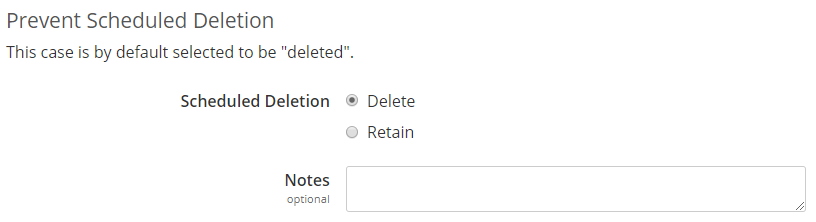
- Use the Search field to select the case. Once viewing the case, click on the Case Options link on the left menu. In the Prevent Scheduled Deletion section, select Retain. If required, add a comment in the Notes field.
- Click on the Case Search screen, enter in relevant search fields, for example a closed Case Status, a relevant Case Type, specific closed dates, certain Subjects etc and run the search. Find the relevant case and click on the Case Reference number. Once viewing the case, click on the Case Options link on the left menu. In the Prevent Scheduled Deletion section, select Retain. If required, add a comment in the Notes field.
- To retain multiple cases, use the Retain Cases screen. Refer to the Retain Cases via the Retain Cases screen section.
TIP Use the Case Search screen, Retained Cases field to search for all cases that have been retained.