
eCase Help
  • Home
  • Create a New Case
    • Create a Case manually
    • Create a Case via Email
    • Create a Case using email scraping
    • Add Standard Lines
    • Link a Case
    • Watch a Case
    • Mandatory Clearances
      • Add a Mandatory Clearance
      • Remove a Mandatory Clearance
      • Overrule a Mandatory Clearance
    • Case Timeline
    • Delete a Draft Case
  • Allocate and Manage a Case
  • Contribute to a Case
  • Respond to a Case
  • Quality Assurance
  • Close a Case
  • Appeals
  • Search, Statistics and Reports
  • Additional Case Types
  • System Management
  • eCase Features and Benefits
  • Register
  • Workbasket Overview
  • Log Out
  • eCase Support
  • Batch Responses
  • eCase Accessibility Statement
  • SAML Single Sign On
  • IP Whitelist
  • eCase Online Learning
  • Webform Submissions
  • eCase Automate
  • Onboarding eCase
  • Did you Know?
Print

How to overrule a mandatory clearance

If your user account has the ‘Overrule Mandatory Clearances’ privilege, you will be able to overrule a mandatory QA request even if you are not the case creator.

Overruled mandatory clearance

In the Actions column, you will see the Overrule link. Click on the Overrule link and the status will automatically change to overruled.
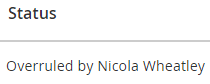
Overruled status


Remove a Mandatory Clearance

eCase Online Learning
Accessibility Statement

Add standard lines

Link a case

Watch a case

Allocate a case

Acknowledge case

Request clarification

Take ownership

Contact Us

support@ecase.co.uk

Fivium

© Fivium Limited