Print
Archive an automated reminder
To archive an automated reminder for a contribution or QA, follow the steps below:
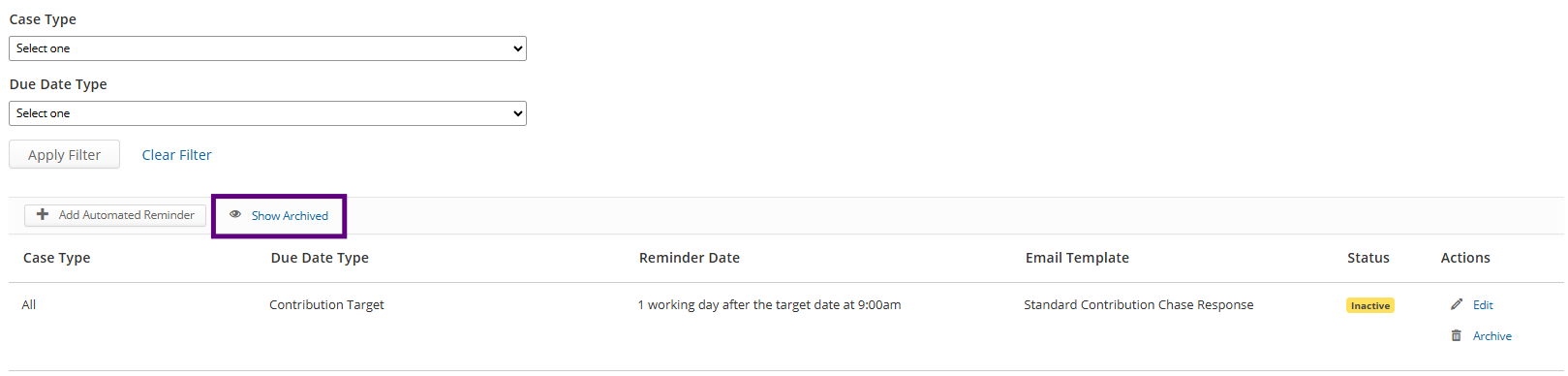
- Use the filter options to find the existing automated reminder you would like to archive.
- Select the Archive link, under the Actions column for the Automated Reminder that you want to archive.
- A pop-up message will ask, Are you sure you want to archive this reminder?
- Select the Cancel link, to return to the Automated Reminders screen without archiving the reminder.
- Select the Archive this reminder button, to archive the reminder. An information banner will confirm the reminder has been archived and the reminder will no longer show in the reminder list.
- To view archived reminders, select the Show Archived link. An Archived icon will show in the Status column.