
View a saved search
To view the saved searches, click on the View Saved Searches link. The View Saved Searches pop up window appears.
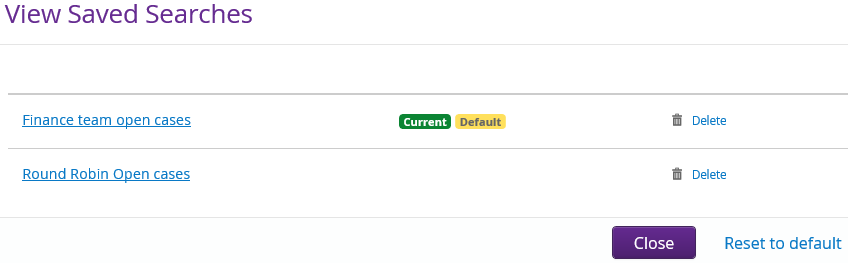
| Field | Description |
| Round Robin all cases | Click on the hyperlink name to select the search you want to run. This will automatically pre-populate the relevant Case Search fields. Click on the Search button to run the search. TIP refer to the Modify a saved search section if you would like to Override This Search. |
| This is the search that is currently being used. |
| This is the search that has been select as being the default. |
| Delete | To delete a search, click on the Delete link. |
| Close | Use to close the View Saved Searches pop up window. |
| Reset to default | If you have viewed several saved searches and would like to go back to your saved default search, click on the Reset to default link. |

