
Print
Batch details
Once a batch is created, it appears as an active batch on the Batch Responses screen.
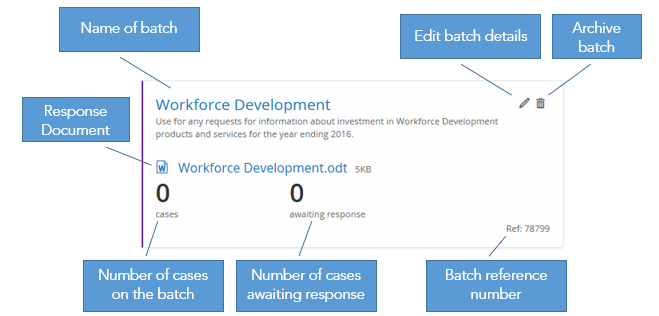
|
If you would like to… |
Then… |
|
Add cases to the batch |
Click on the Name of the batch. |
|
View the Response Document |
Click on the name of the response document to download and view it. |
|
Edit the batch details, for example, update the response document, change the description of the batch or amend any of the email details |
|
|
Archive the batch |
Click on the dustbin icon. |
|
Restore a batch |
|